Balance - Expense Tracker · by Muffinly Labs

Track your money without handing it over.

Balance is a personal finance and budget tracker for Android. Every account, transaction, category, and budget lives only on your device — no sign-up, no bank connections, and no server sitting between you and your own numbers. Everything on this page is the real app, not mockups.
0
Servers involved
Transactions, no cap
🌐
Multi-language
🏷
Customizable categories
🏦
Flexible account types
🎨
Custom accent colors
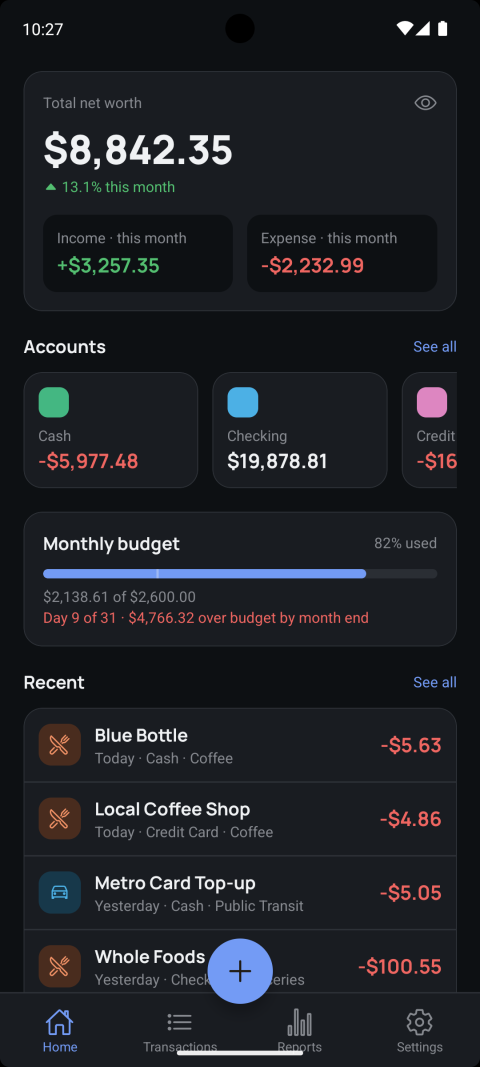
Balance Home screen showing net worth, accounts, monthly budget pace, and recent transactions

Accounts & net worth

Accounts

Every account, one real net worth.

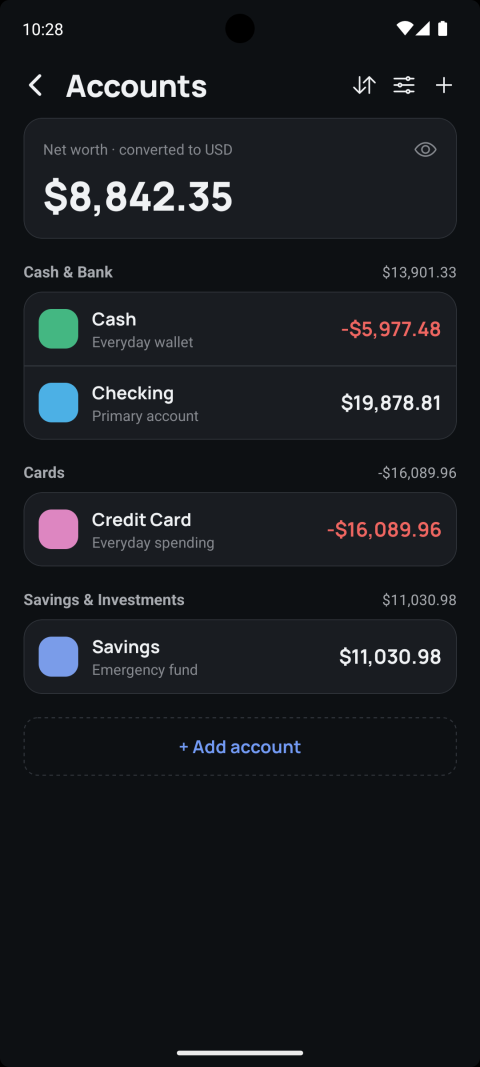
Group accounts under four types — Cash & Bank, Cards, Savings & Investments, and Foreign Currency — and Balance rolls them into a single net worth figure automatically.

  • Multi-currency by design. Each account carries its own currency; a foreign-currency account converts back to your default currency using the exchange rate captured at the time, so historical reports never silently change value as live rates move.
  • Foreign-currency accounts are excluded from net worth by default — a travel card sitting in EUR shouldn't quietly inflate a figure you think is entirely in USD, though you can include it if you actually want that.
  • Archive, don't delete. Closing an account keeps its transaction history intact for reports instead of erasing it.
Accounts screen grouped by Cash & Bank, Cards, and Savings & Investments, with net worth converted to USD
Transactions

Log it in seconds, find it just as fast.

Every expense, income entry, and transfer is unlimited — there's no premium tier gating the number of transactions, accounts, or categories you can have.

  • Three transaction types — expense, income, and transfer — each with their own fields, so a transfer between your own accounts never accidentally shows up as spending in a report.
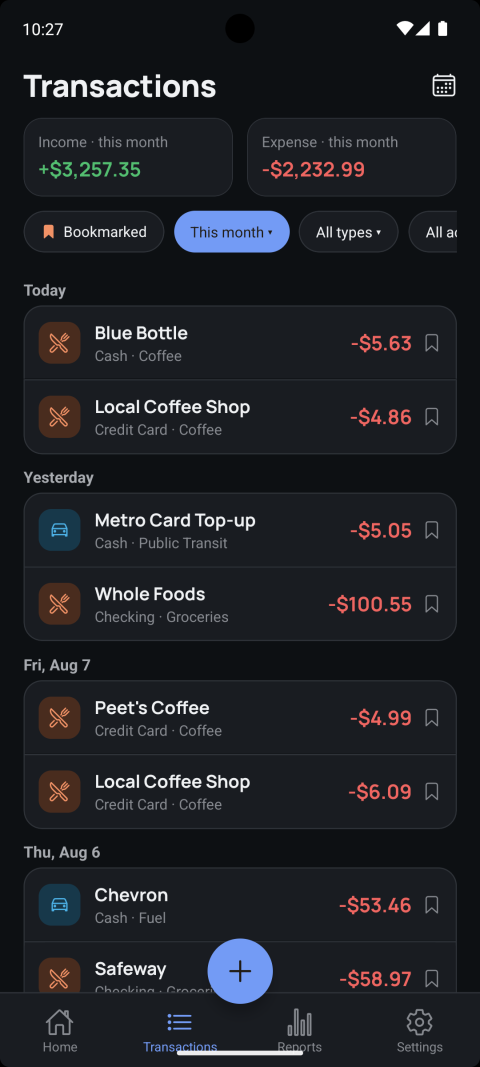
  • Filter by bookmark, type, account, or period right from the list, with running income/expense totals for whatever filter is active.
  • Category and subcategory tagging on every entry — subcategories tag a transaction for detail, but always roll up to their parent category in every report and budget.
Transactions list grouped by day with income and expense totals for the month
Calendar

Spending, laid out day by day.

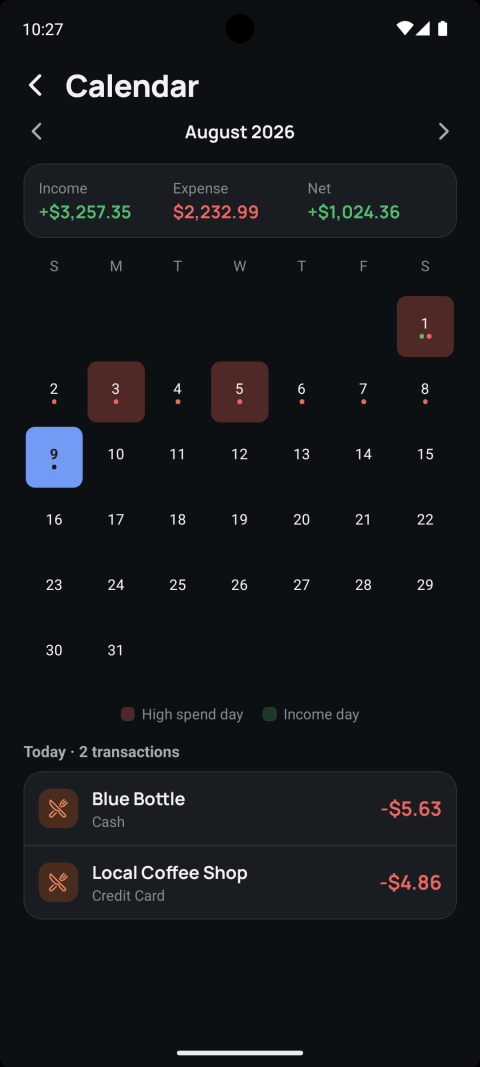
The Calendar view marks high-spend days and income days directly on the month grid, so patterns jump out visually before you even open a report. Tap any day to see exactly what happened on it.

Calendar view for August 2026 with high-spend days and income days highlighted
Budgets

Budgets that actually roll up correctly.

Set a limit per category, and optionally narrow it further to a single subcategory — Balance still reports against the parent category everywhere else, so a subcategory budget is a limit on part of the whole, never a separate bucket that fragments your reports.

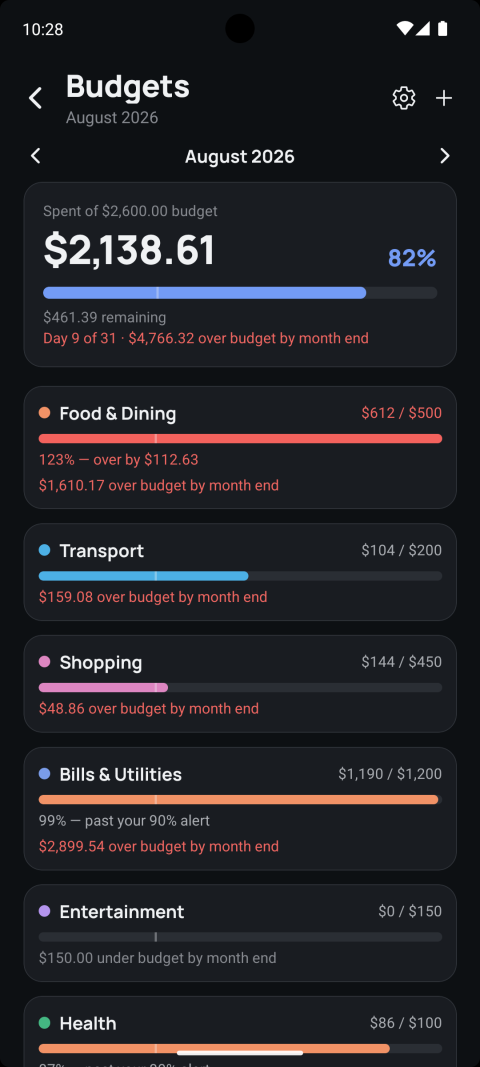
  • Month-end pace projection — "Day 9 of 31 · $4,766.32 over budget by month end" is calculated from your actual daily rate so far this month, not a flat average.
  • Rollover, if you want it. Unused balance can carry into next month's limit instead of resetting to zero.
  • Per-budget alert threshold — get warned at 80%, 90%, or whatever percentage makes sense for that category, not a single global number.
Budgets screen for August 2026 showing per-category limits, an over-budget alert, and month-end pace projections
Recurring

Rent, salary, subscriptions — handled.

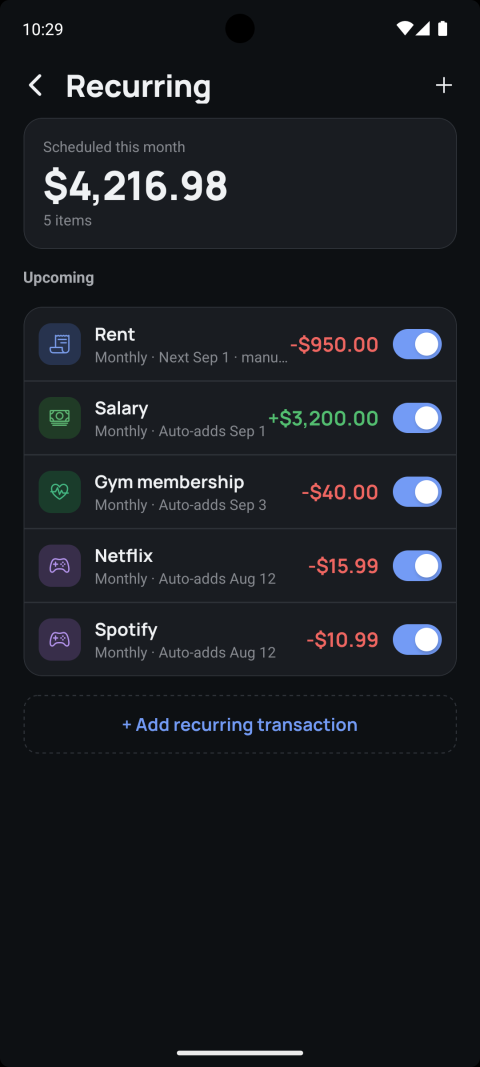
Set a rule once — daily, weekly, monthly, or yearly — and choose whether it posts itself automatically or just reminds you a chosen number of days ahead.

  • Catch-up scheduling. Skip opening the app for a couple of weeks, and every auto-add rule still materializes its missed occurrences correctly on next launch — nothing silently falls behind.
  • Pause without deleting a rule you're not ready to cancel outright.
Recurring screen listing Rent, Salary, Gym membership, Netflix, and Spotify with their next due dates
Categories

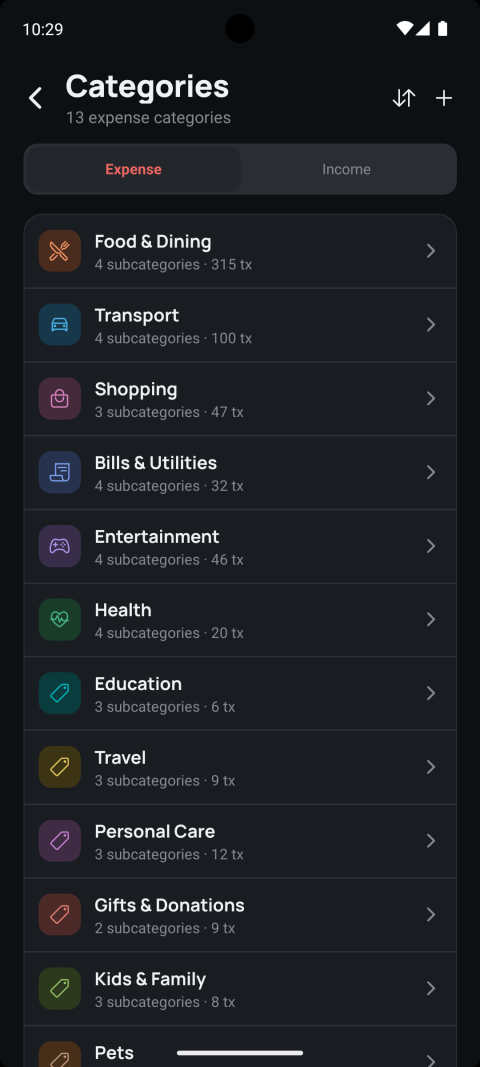
13 expense and 8 income categories, ready on day one.

Food & Dining, Transport, Shopping, Bills & Utilities, Health, Education, Travel, Kids & Family, Pets, and more — each with its own subcategories out of the box, and every one of them fully editable: reorder, rename, add your own, or archive what you don't use.

Categories screen listing expense categories with subcategory and transaction counts

Reports

Real insight, not just a spreadsheet dump

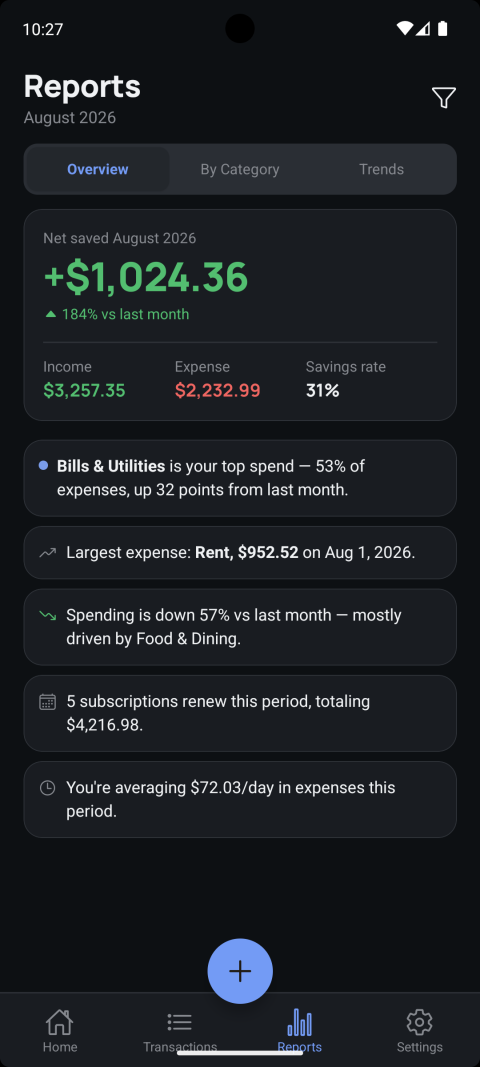
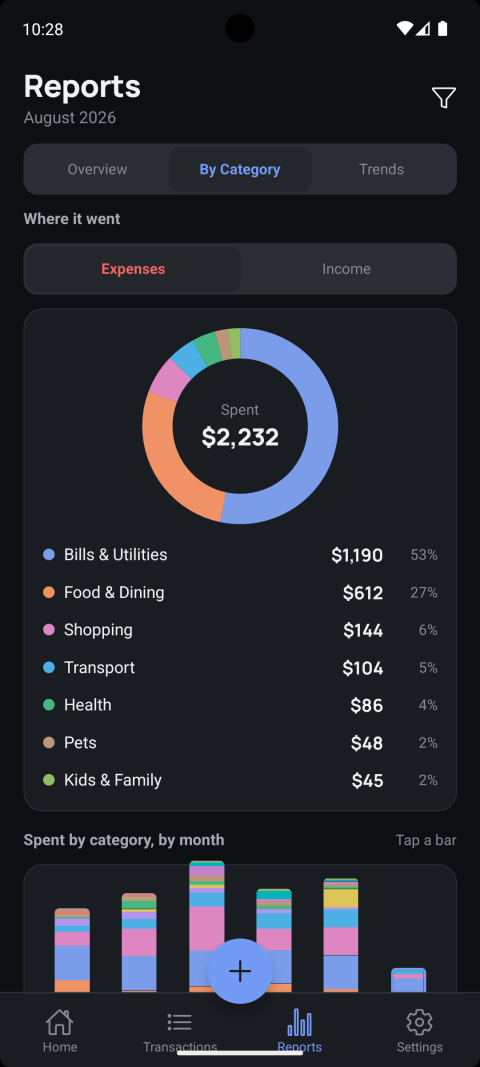
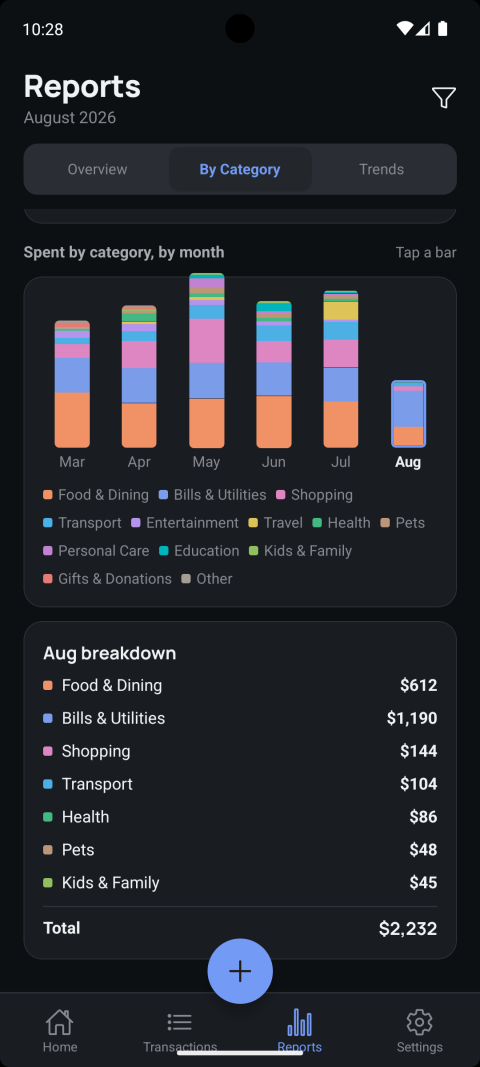
Overview, category breakdown, and month-over-month trends — Balance writes plain-language insights from your own numbers: top spend category, largest single expense, how spending moved against last month, and what's renewing this period.

Reports Overview tab: net saved, income vs expense, and auto-generated insights
Reports By Category tab: donut chart of August spend by category
Reports By Category tab: stacked bar chart of spend per category across six months
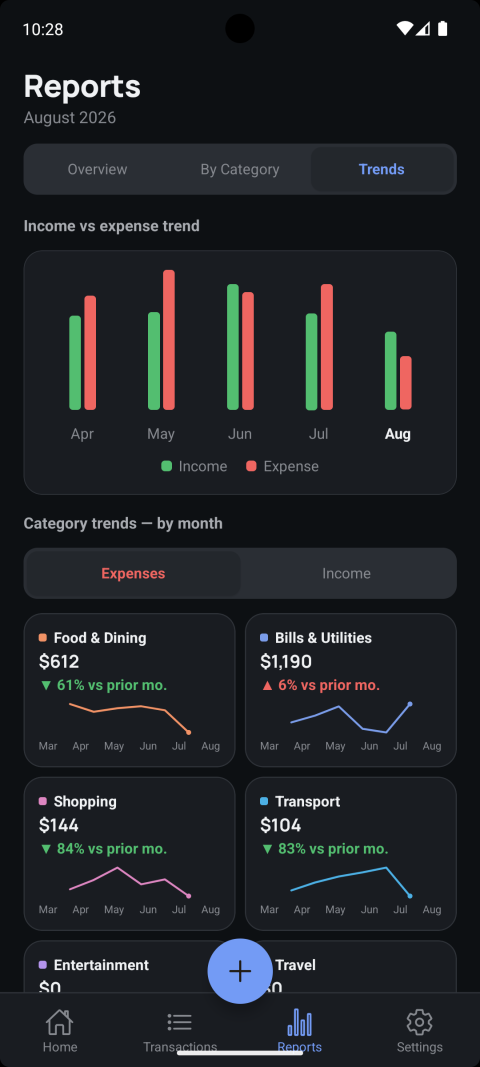
Reports Trends tab: income vs expense trend and per-category trend lines
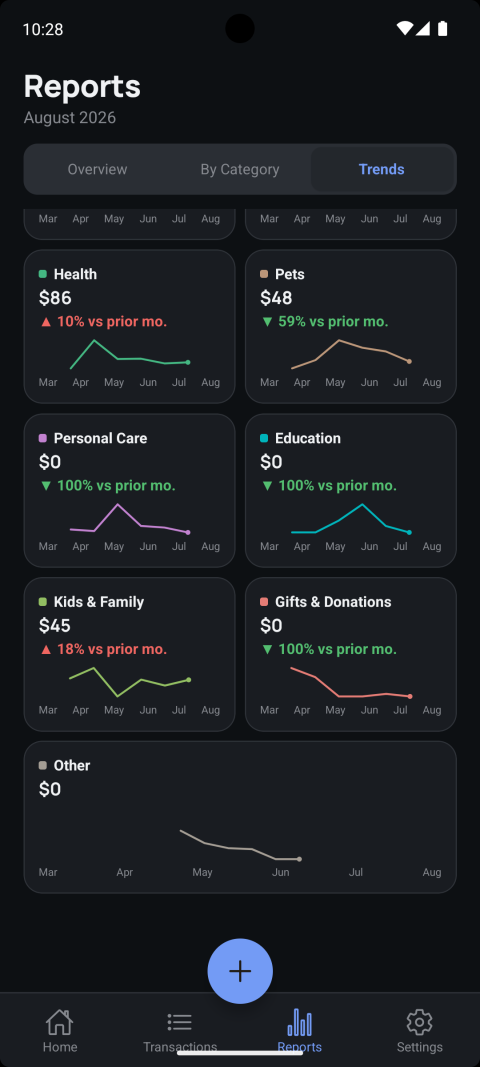
Reports Trends tab continued: more per-category trend lines
Appearance

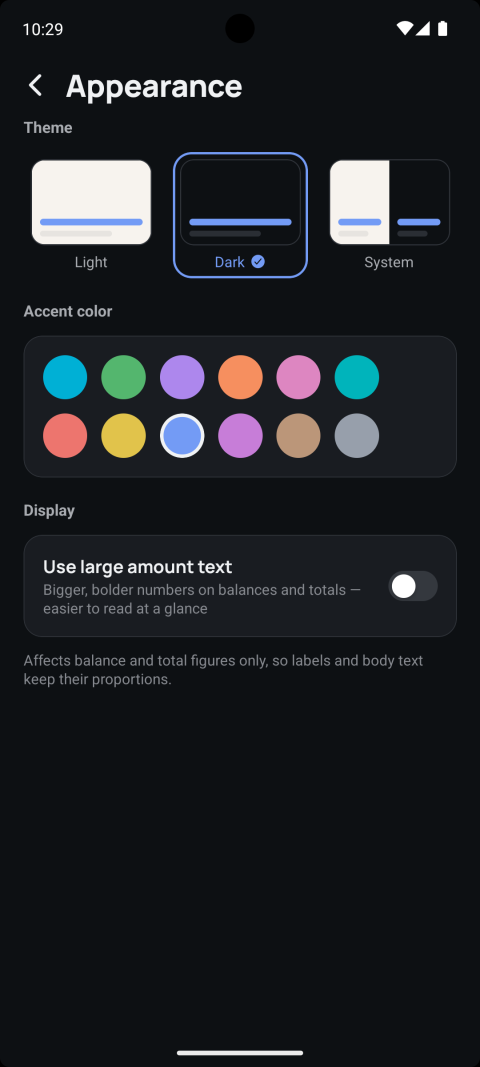
Light, dark, or system — plus your own accent.

Theming isn't a single dark-mode toggle. Pick Light, Dark, or follow the system setting, then choose from a full palette of accent colors — the same screenshots on this page were taken with Dark theme and the indigo accent.

  • Large amount text is a separate accessibility toggle that only affects balance and total figures, so labels and body text keep their normal proportions.
Appearance settings: Light, Dark, and System theme options, an accent color palette, and a large amount text toggle
Multi-lingual

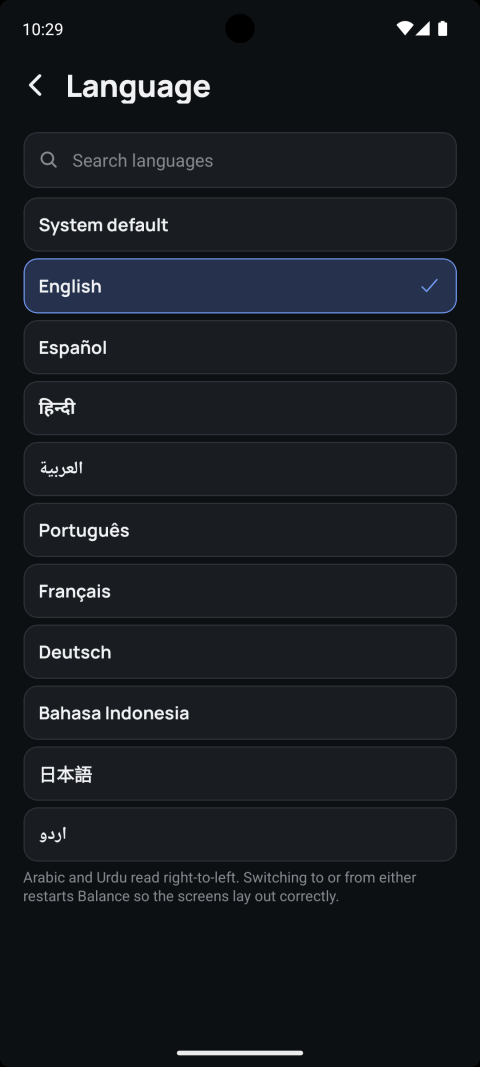
10 languages, including real right-to-left support.

English, Spanish, Hindi, Arabic, Portuguese, French, German, Indonesian, Japanese, and Urdu. Arabic and Urdu aren't just translated strings — the entire layout mirrors for right-to-left reading, and the app restarts on switch so every screen relays out correctly rather than half-flipping.

Language picker listing ten languages including Arabic and Urdu, with a note about right-to-left layout restarts
Notifications

Reminders that don't need a server to exist.

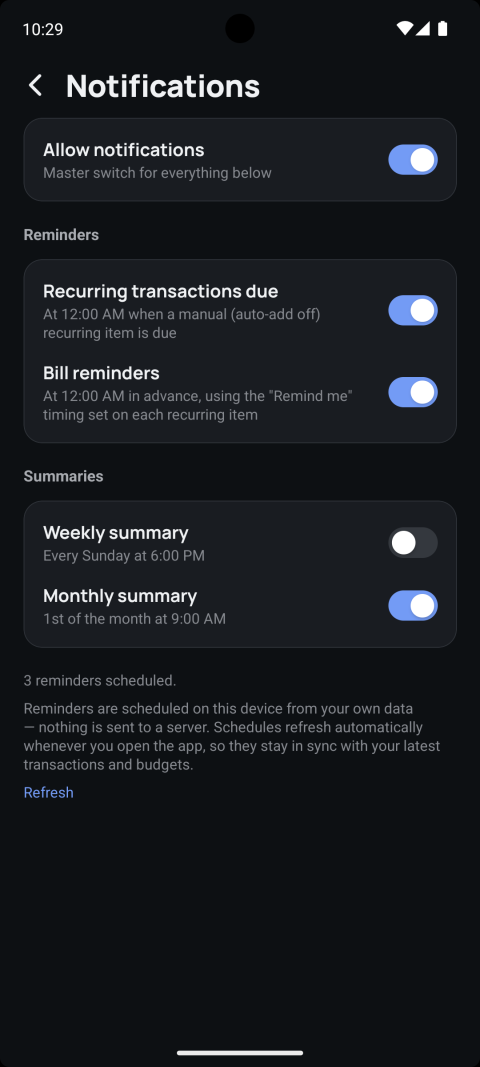
Recurring-due alerts, bill reminders ahead of time, and weekly or monthly summaries — every one of them is scheduled locally on your device from your own data.

"Reminders are scheduled on this device from your own data — nothing is sent to a server. Schedules refresh automatically whenever you open the app, so they stay in sync with your latest transactions and budgets."
Notifications settings with reminders and weekly/monthly summary toggles
Backup & sync

Your own Google Drive, or nothing at all.

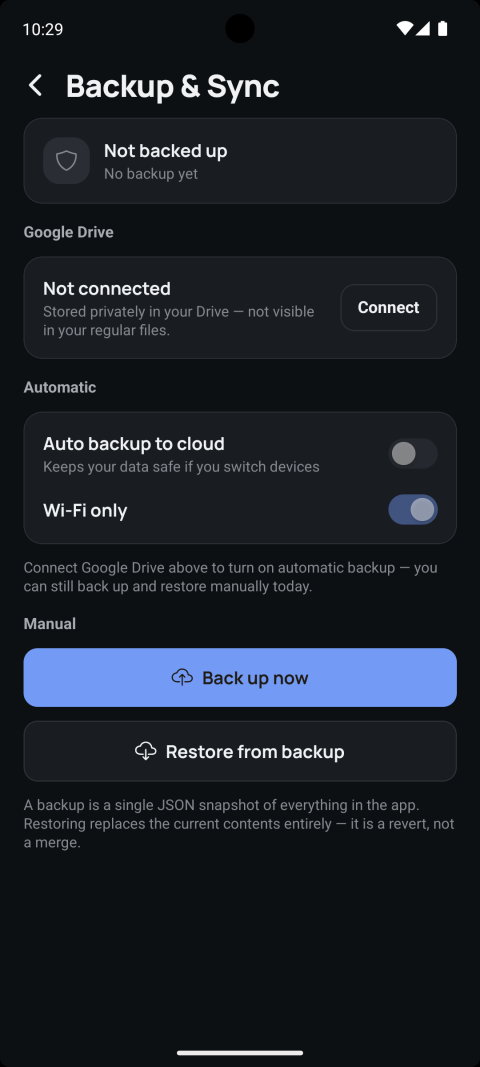
Backup is entirely optional and off by default. Connect your Google account and Balance writes a private JSON snapshot into your Drive's hidden app-data folder — invisible in your normal Drive files, and inaccessible to any other app.

  • Manual control today — "Back up now" and "Restore from backup" work without automatic sync turned on.
  • Automatic, Wi-Fi-only backup once connected, if you'd rather not think about it.
  • Restoring is a full revert to the backup's contents, not a merge — Balance tells you that plainly before you do it.
Backup & Sync screen with Google Drive connection and manual backup/restore buttons
Export

Your data, out as a real CSV.

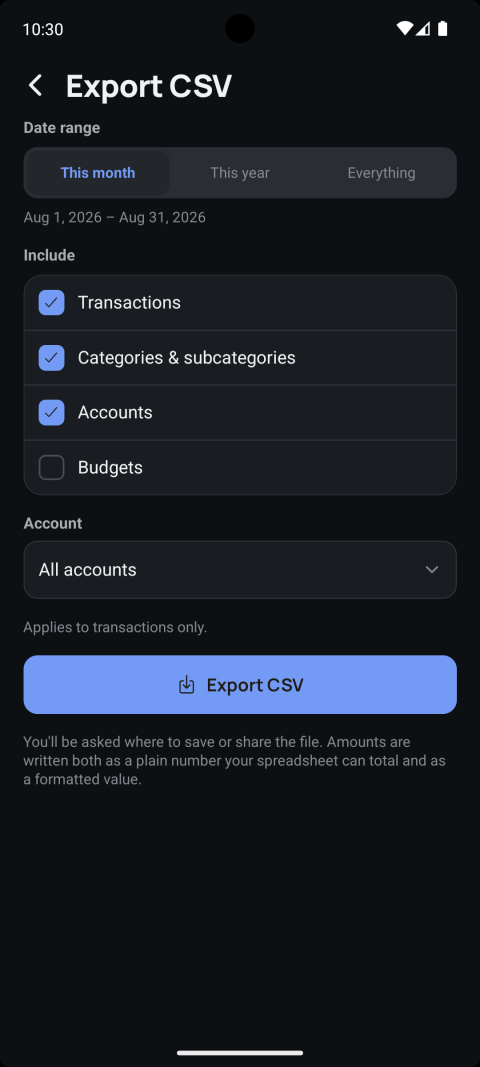
Export transactions, categories, accounts, and budgets for any date range, scoped to one account or all of them. Amounts are written both as a plain number your spreadsheet can total and as a formatted value you can read.

Export CSV screen with date range, data to include, and account filters
Fast entry

A full numeric keypad, not a form.

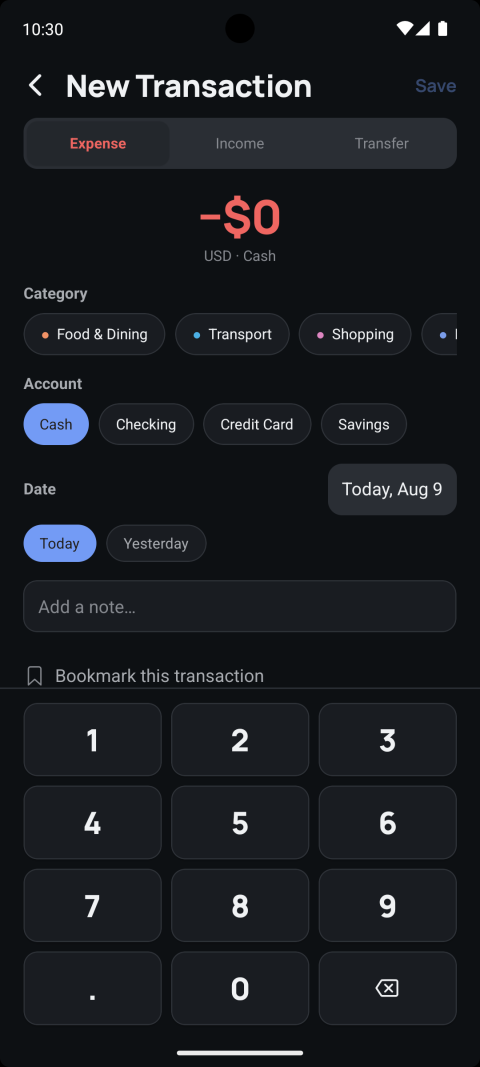
Adding a transaction is type-the-amount, tap a category chip, tap an account, done — with Today/Yesterday shortcuts on the date field for the two dates you'll actually use most, an optional note, and a one-tap bookmark for anything you'll want to find again quickly.

New Transaction screen with a numeric keypad, category chips, account chips, and date shortcuts

Also included

The rest of it

Home-screen widgets

Monthly Budget, Net Worth, and a one-tap Add Transaction shortcut, right on your home screen.

🛡

App Lock

Face ID, fingerprint, or device passcode — handled entirely by your device's OS. Balance never sees your biometric data.

No account required

Open the app and start tracking immediately. No sign-up, no login, nothing to lose access to.

🔒

Fully offline, no backend

There is no server behind Balance. Every screen on this page reads and writes only to your device.